
Results page
Results
Results is the last page when creating your survey, where you can add some setups for your survey.
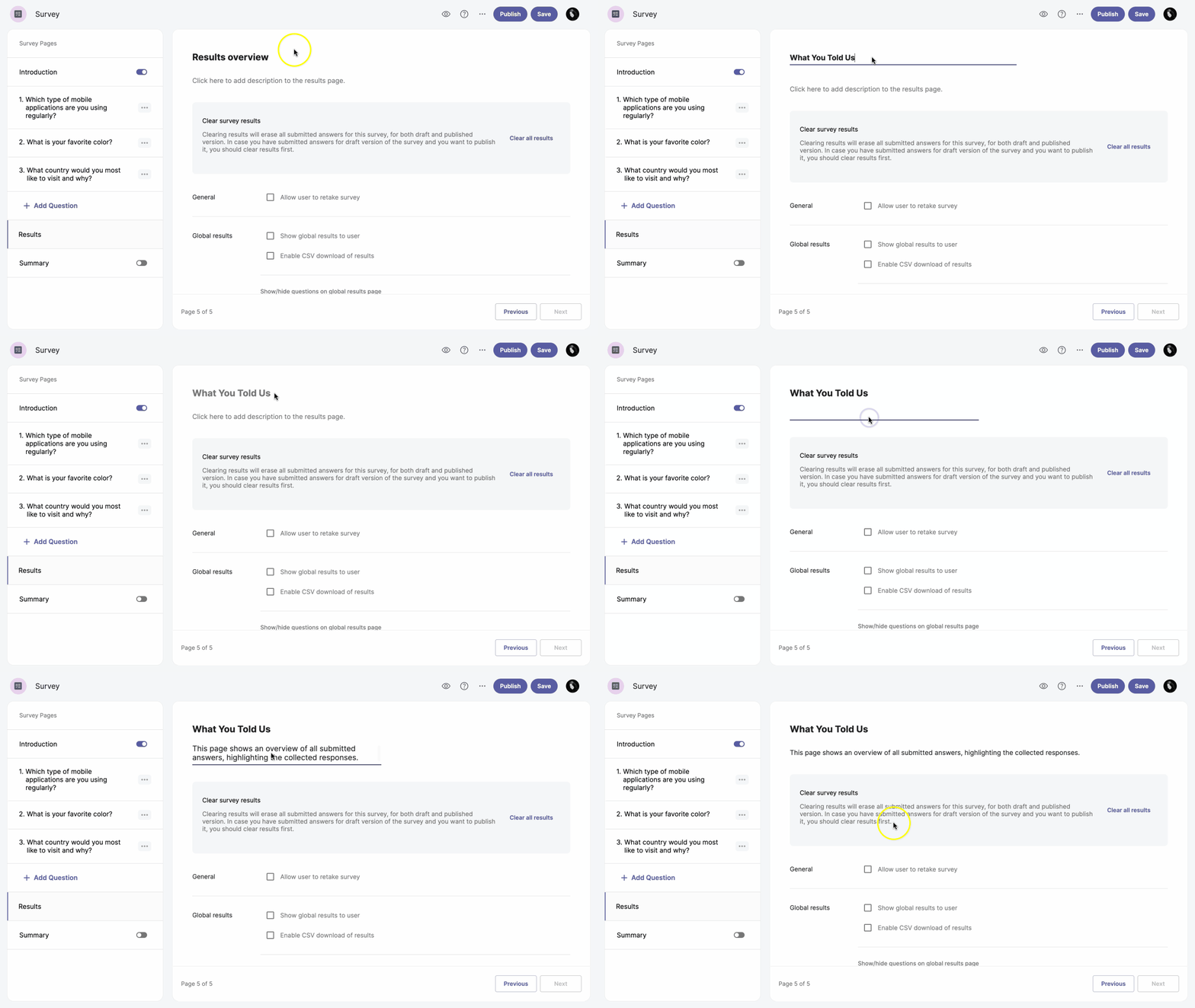
Add a description to the results page
The results page has an editable header. To change it, select Results overview at the top of the page and enter a new header name. You can also add a description for the results page.
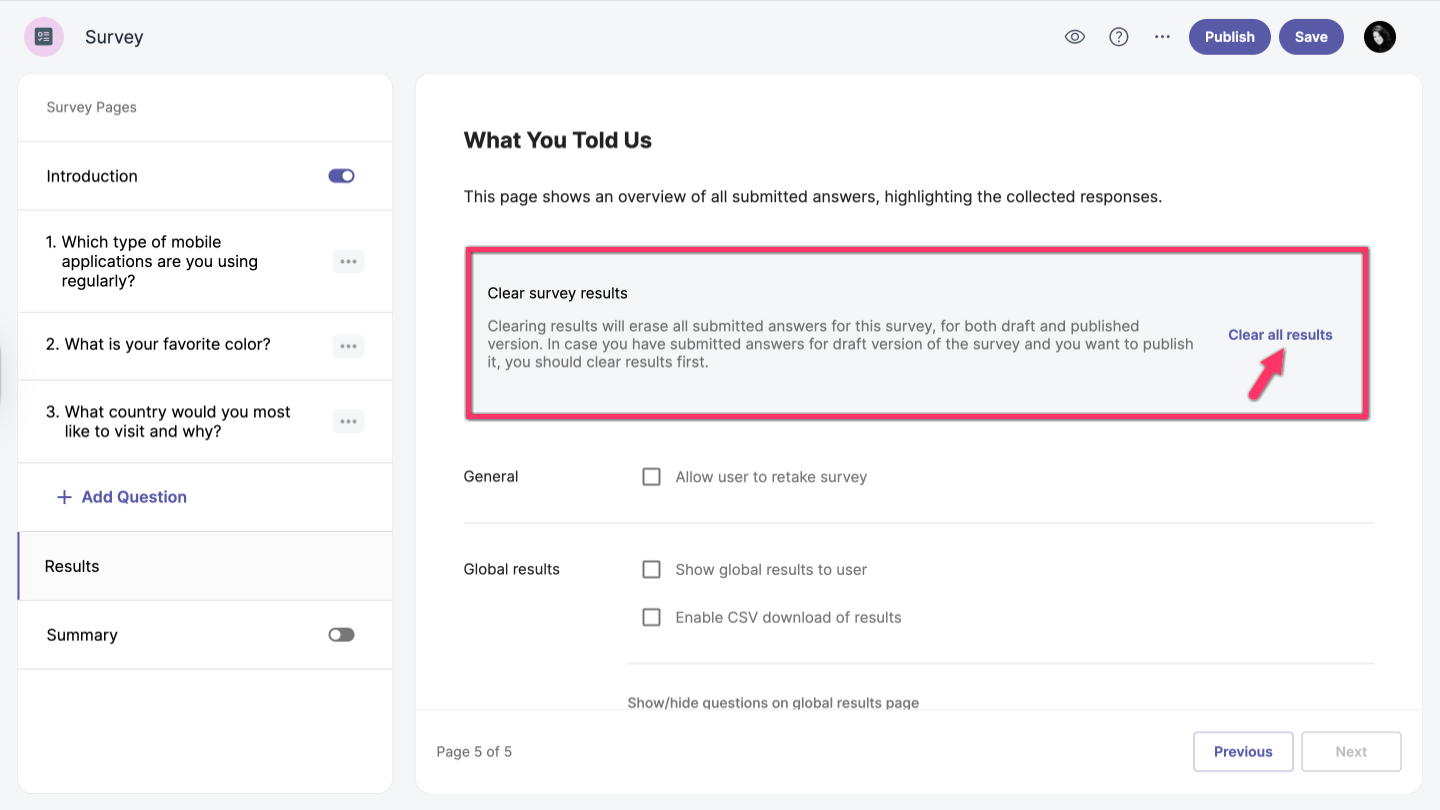
Clear survey results
Clearing results will erase all submitted answers for this survey, including both draft and published versions. If you have submitted answers for the draft version and want to publish the survey, you should clear the results first. To remove all results, simply click Clear all results.
This action cannot be undone.
Additional options
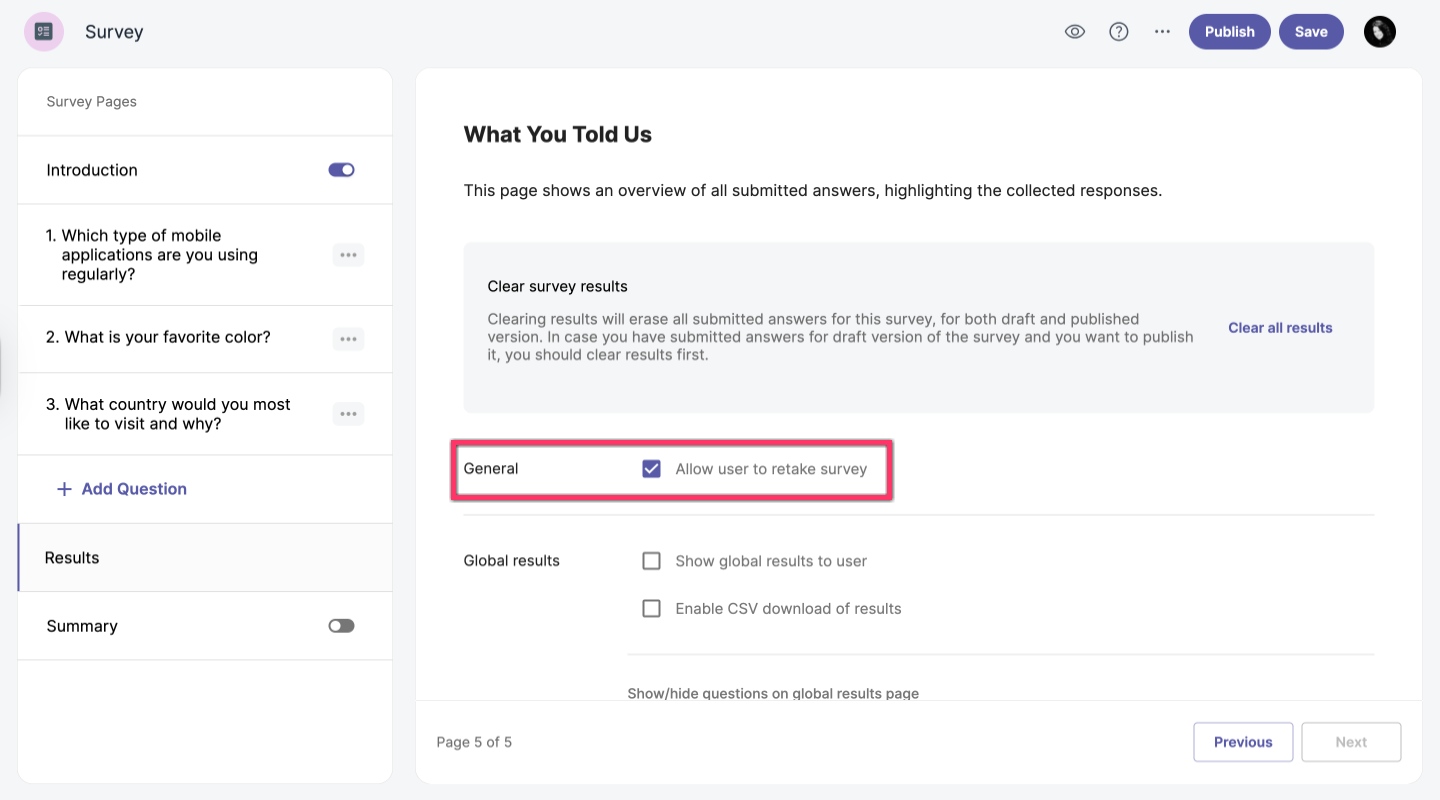
General
You can allow users to retake surveys by clicking on the Allow user to retake survey checkbox in General.
Global results
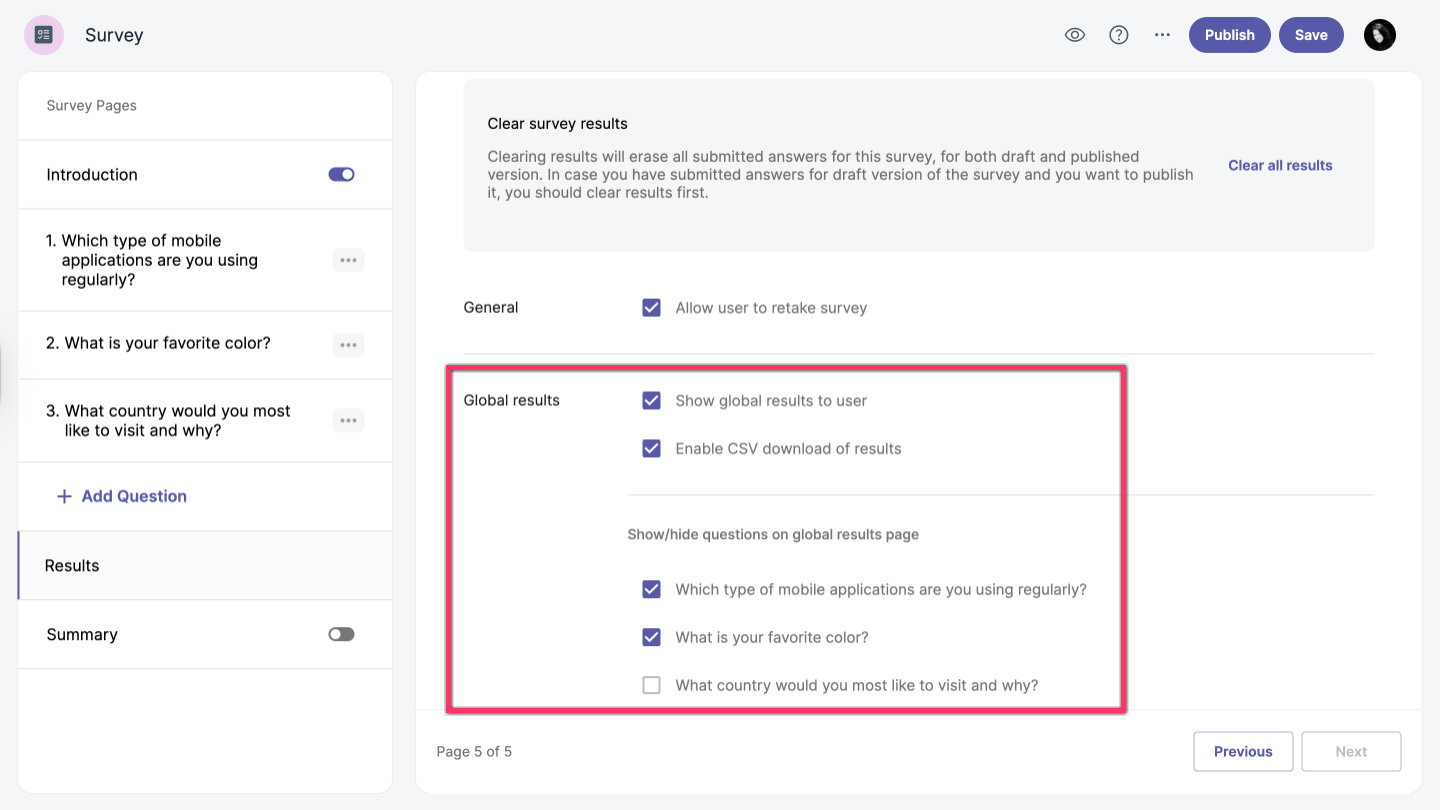
Global results include several available options:
- Show global results to the user – After completing the survey, users will see global results as a visual summary.
- Enable CSV download of results – Allows users to download the results in CSV format after completing the survey.
- Show or hide questions on the global results page – You can choose which questions appear on the global results page.
Open-ended and Likert Scale questions are not supported on the global results page.