Question page
Question types
Our Survey application offers you four types of questions:
- Single Option – You can select one single answer option from a list of alternatives.
- Multiple Option – This question type allows you to choose one or more answer options.
- Open-ended – A type of question where you can write your answer in a text box.
- Likert Scale – This question type consists of a statement and options, and you choose the option that best fits the given statement.
Add question
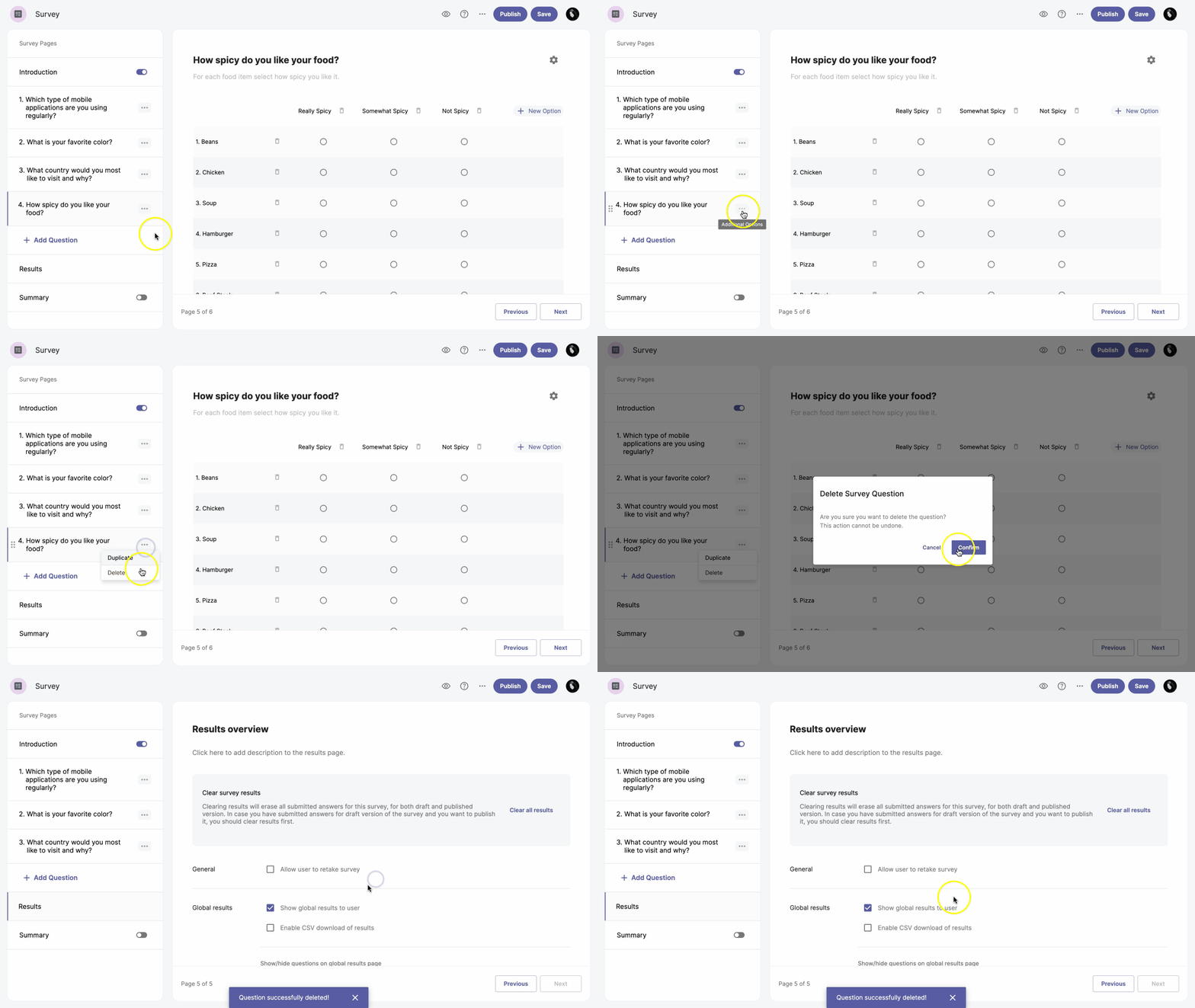
To add a question, go to the Add Question button in the left-hand sidebar and select a question type from the list.
Duplicate question
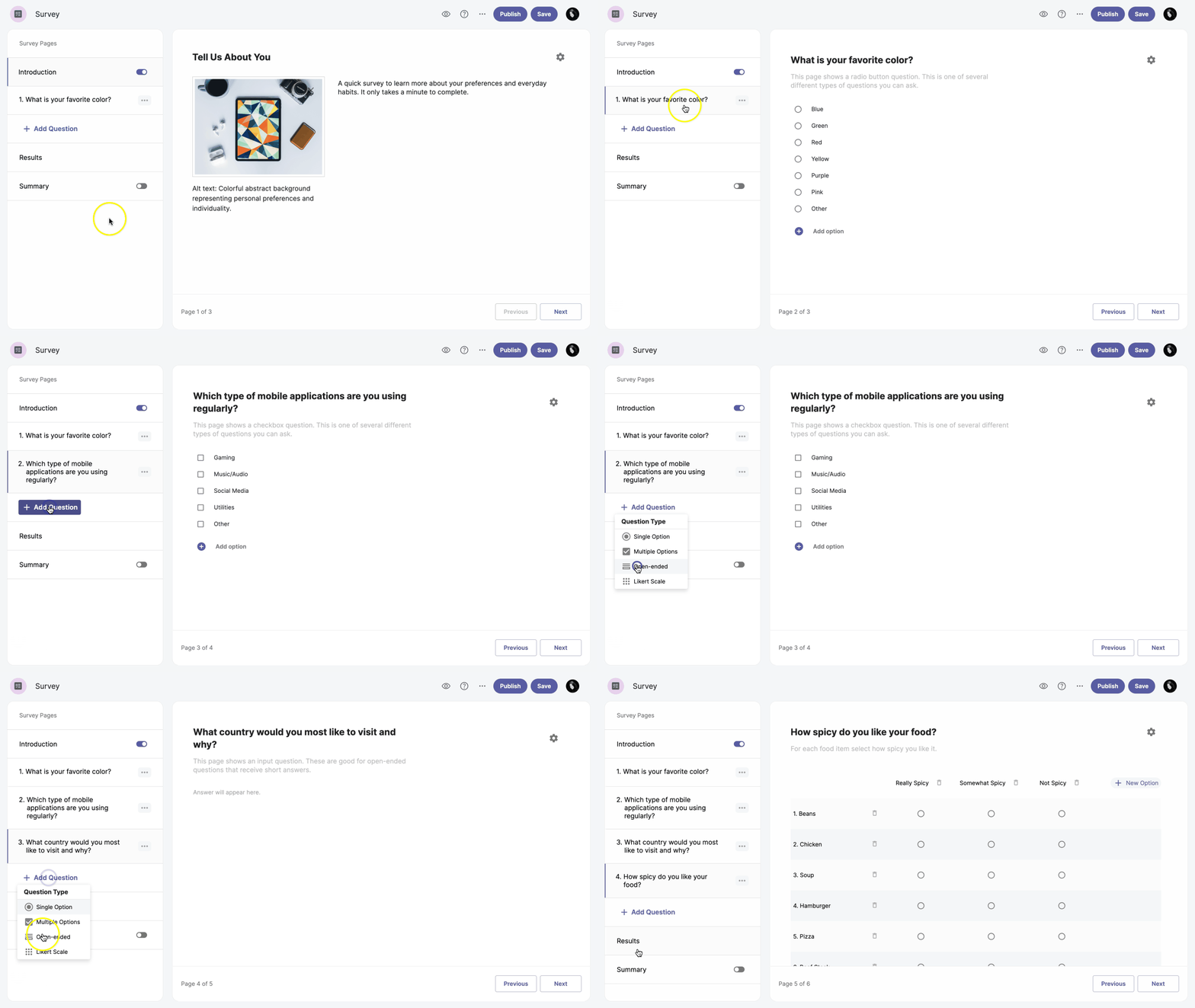
To duplicate a question, click the Additional options more_horiz next to the question and select the Duplicate option.
Move question
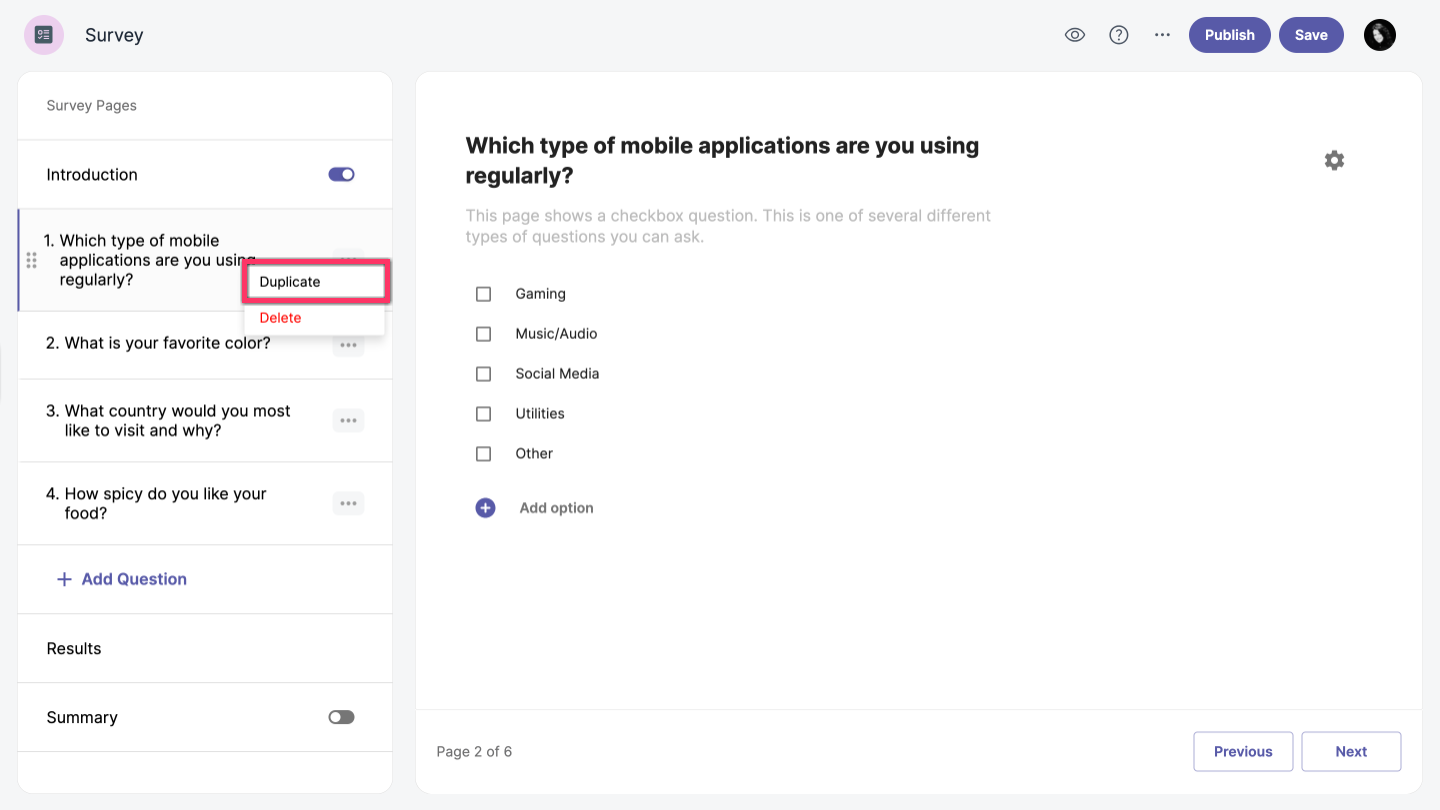
To reorder questions, simply click and drag the question to the desired location.
Delete question
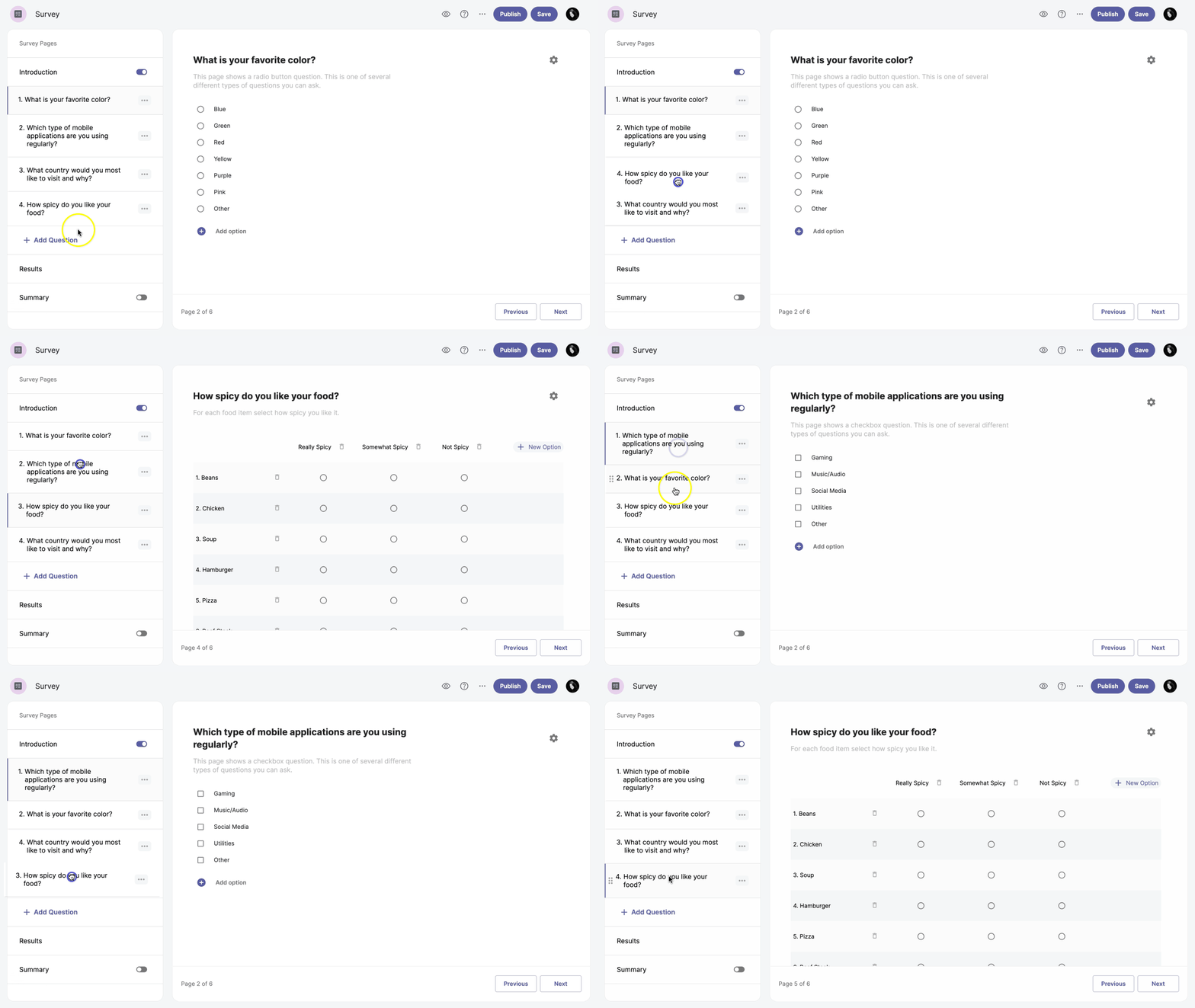
To delete a question, follow these steps:
-
Click the Additional options more_horiz next to the question.
-
Select the Delete option.
-
Click Confirm.